7 Signs Your Business Has Outgrown Its Current IT Setup
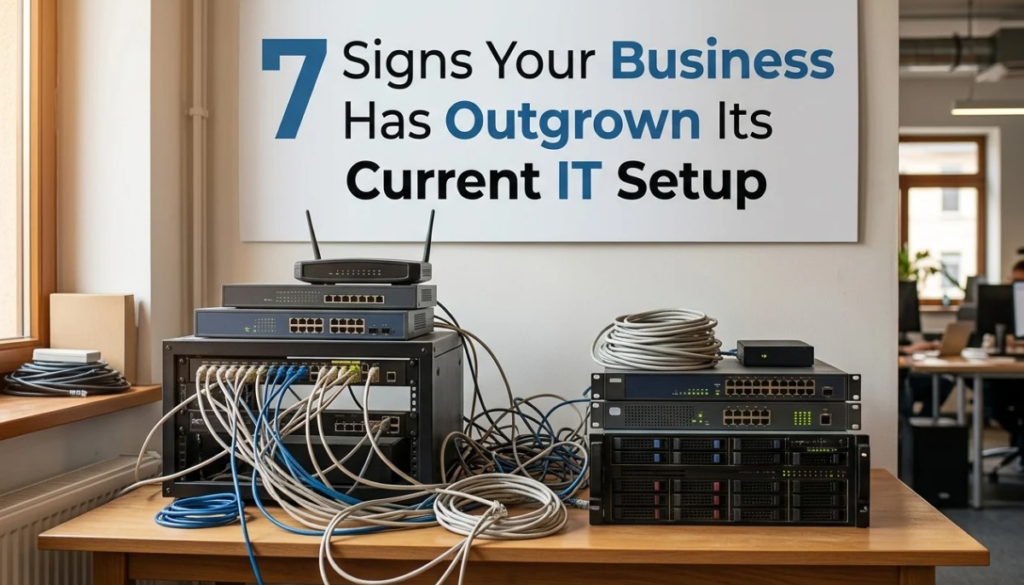
Every business starts somewhere a handful of laptops, a shared drive, maybe a router tucked in a closet. It works fine when you’re small. But growth has a way of quietly outpacing the systems that were never built to scale with it.
The tricky part is that IT problems rarely announce themselves clearly. They show up as small annoyances that everyone just learns to live with until those annoyances start costing real time, money, and customers. Here are seven signs your business has outgrown its current IT setup, and what to do about it.
- Everything Feels Slower Than It Used To
If staff are waiting on files to open, applications to load, or systems to respond and it’s not an occasional glitch but a daily reality that’s rarely a “just restart it” problem. It’s usually a sign that your hardware, storage, or network simply wasn’t designed for the volume of data and users you have now.
As a business adds employees, devices, and software, the load on servers and network infrastructure grows exponentially, not linearly. What ran smoothly with 10 people can grind to a halt with 30, even if nothing else “changed.”
- Technical Problems Keep Repeating
One IT issue is a hiccup. The same issue happening every few weeks is a pattern and patterns point to an underlying weakness, not bad luck. Recurring crashes, the same server needing a reboot, the same printer losing connection, the same login errors these are symptoms of infrastructure being pushed past what it was designed to handle.
The cost here isn’t just the fix. It’s the accumulated hours of staff troubleshooting instead of working, and the trust that erodes internally every time “IT is down again.”
- Your Network Can’t Keep Up
Poor network performance becomes especially visible as teams adopt more cloud tools, video calls, and remote work. Buffering video calls, slow file transfers between departments, or Wi-Fi that can’t reliably cover the whole office are signs your network architecture hasn’t kept pace with how your business actually operates today.
This is particularly common after office expansions, additional locations, or a shift toward hybrid work situations that demand a fundamentally different network design than a single small office needs.
- Hardware and Software Are Aging Out
Every piece of technology has a realistic lifespan. Servers, workstations, and network equipment typically need replacing or significant upgrades every few years and software vendors eventually stop supporting older versions entirely, leaving you without security patches or fixes.
If your team is running hardware that’s five-plus years old, or software that’s no longer receiving updates, you’re not just dealing with slower performance you’re operating on infrastructure that’s increasingly expensive to maintain and impossible to fully secure.
- Security Gaps Are Starting to Show
A setup built for a five-person office rarely has the layered security a growing business needs proper firewalls, endpoint protection across every device, multi-factor authentication, regular patching, and real oversight of who has access to what.
As headcount grows, so does your attack surface: more devices, more logins, more people clicking more links. If your security setup hasn’t evolved alongside your headcount, it’s not protecting the business you actually are now it’s protecting the smaller one you used to be.
- IT Can’t Support New Growth Initiatives
This is one of the clearest signals. When the business wants to open a new location, onboard a wave of new hires quickly, roll out a new tool, or support more remote staff and IT becomes the bottleneck rather than the enabler that’s outgrowth in action.
Growing businesses need infrastructure that can scale on demand: cloud systems that flex with usage, network capacity with room to expand, and IT support that can onboard new staff in days, not weeks.
- There’s No One Actually Owning IT Strategically
In many growing businesses, IT started as “whoever’s good with computers” handling things reactively fixing what breaks, when it breaks. That works at a small scale. It doesn’t work once the business depends on its systems being reliable, secure, and ready for what’s next.
If nobody is proactively monitoring systems, planning capacity, managing backups, or thinking ahead about what the business will need in twelve months, you’re running IT in permanent catch-up mode and catch-up mode is expensive.
What to Do About It
None of these signs mean something is fundamentally wrong with how the business has been run they mean the business has grown, which is a good problem to have. The fix isn’t necessarily “spend more,” it’s “assess, then invest deliberately”: a proper IT infrastructure review, a realistic look at current versus needed capacity, and a plan that scales with the business instead of constantly playing catch-up behind it.