Why IT Documentation Matters More Than You Think
Most businesses can tell you what their IT systems do. Far fewer can tell you how those systems are set up, who has access to what, or where the critical details are written down. The knowledge lives in one person’s head, an old email thread or a sticky note on a monitor. It works fine, right up until that person leaves, a system fails, or an auditor asks a question nobody can answer.
IT documentation isn’t glamorous, but it’s one of the clearest signs of a well-run business. Here’s why it matters and what every organisation should be recording.
What Is IT Documentation?
IT documentation is the organised, up-to-date record of how your technology is built, configured, accessed and maintained. It’s your business’s instruction manual for its own systems. Done well, it means anyone with the right authority can understand, support and recover your IT environment without guesswork.
It isn’t about producing paperwork for its own sake. It’s about removing risk, saving time and making your technology something the business controls, rather than something it hopes keeps working.
Why It Matters More Than You Think
It removes single points of failure. When only one employee or one external contact understands your setup, you’re one resignation or one holiday away from a problem. Documentation turns personal knowledge into business knowledge.
It speeds up problem-solving. When something breaks, the first part of any fix is understanding what you’re looking at. With clear records of configurations, dependencies and past changes, support teams spend their time resolving the issue instead of rediscovering how things fit together. That means shorter downtime and lower support costs.
It makes disaster recovery possible. You can’t rebuild what you haven’t recorded. After a ransomware attack, hardware failure or fire, documented configurations and procedures are what let you restore systems in the right order, quickly and correctly.
It strengthens security. Knowing exactly who has access to what, and which systems exist, is the starting point for protecting them. Undocumented systems and forgotten accounts are exactly where attackers look for weaknesses.
It supports compliance and audits. Whether you’re answering a client’s security questionnaire, a cyber insurance application or a regulatory review, documented policies and controls make the answers straightforward instead of stressful.
It makes onboarding and growth easier. New staff, new IT providers and new offices all get up to speed faster when the essentials are written down.
What Your Business Should Document
You don’t need to record everything on day one. Start with the areas that would hurt most if the knowledge disappeared.
- Passwords and Credentials, Stored Securely
This is the one area where how you document matters as much as what. Passwords should never live in spreadsheets, shared documents, emails or notebooks. Use a reputable business password manager with role-based access, so credentials are encrypted, shared only with those who need them, and easy to rotate when someone leaves. Document the process alongside it: who administers the vault, how emergency access works and how credentials are changed after a staff departure.
- Network Configuration
Record how your network is laid out, including:
- Network diagrams showing how devices and locations connect
- IP address ranges, VLANs and key device addresses
- Router, firewall and switch configurations, with backups of the config files
- Wi-Fi setup, guest network rules and VPN arrangements
- Internet service provider details and support contacts
- Hardware Inventory
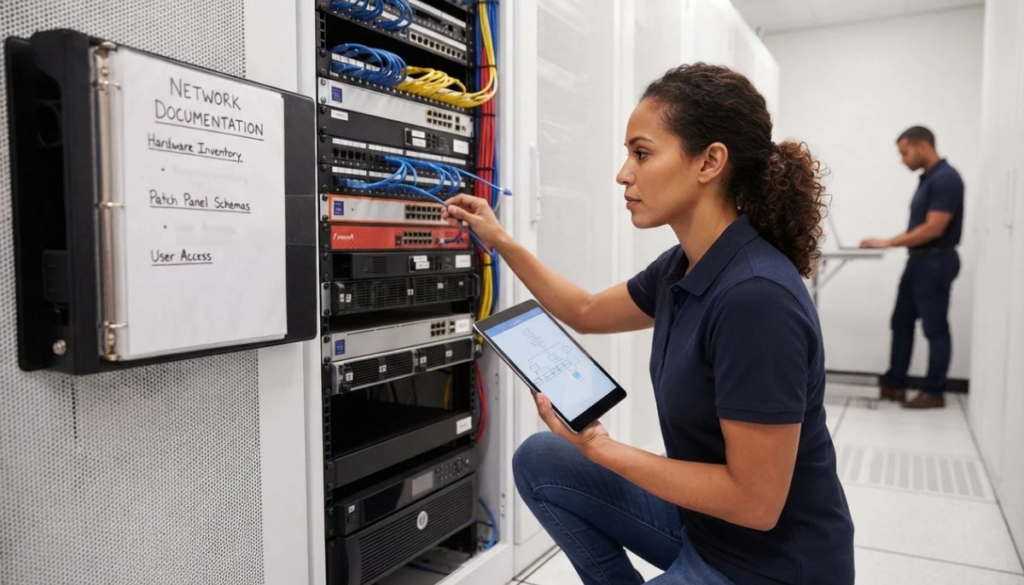
Keep a living list of your equipment: servers, workstations, laptops, printers, network devices and mobile devices. For each, note the model, serial number, purchase date, warranty status, assigned user and location. This makes replacement planning, insurance claims and asset tracking far easier.
- Software and Licences
Document what software your business runs, which versions, how many licences you hold, when they renew and where the installation media and keys are kept. It prevents surprise renewals, avoids compliance problems and speeds up rebuilding a machine from scratch.
- User Access and Permissions
Maintain a clear record of who has access to which systems, files and applications, and at what level. Review it regularly. Documented access makes it simple to grant the right permissions to new starters, and just as importantly, to remove them promptly when people move roles or leave.
- Backup Procedures
Write down what is backed up, how often, where the copies are stored, how long they’re kept and who checks them. Include step-by-step restore instructions and the results of your last restore test. A backup nobody knows how to restore from is little help in a crisis.
- Important IT Processes and Procedures
Capture the routine and the critical, such as:
- Onboarding and offboarding checklists
- How to request IT support and who handles escalations
- Patch and update schedules
- Incident response steps for security events
- Vendor and supplier contacts, contract details and support agreements
Keeping Documentation Useful
The most common failure isn’t a lack of documentation. It’s documentation that was written once and never touched again. Outdated records can be worse than none, because they create false confidence. A few habits help:
- Assign ownership. Someone should be responsible for each area, even if the task is shared.
- Update as you change. Make documentation part of every upgrade, new hire and system change, not a separate project for later.
- Review on a schedule. A quarterly or six-monthly review catches drift before it becomes a problem.
- Keep it accessible but protected. The right people must be able to find it in an emergency, while sensitive details stay under proper access controls. Remember that your documentation shouldn’t be stored only on the systems it describes.
- Write for a stranger. If a competent person who has never seen your setup could follow it, it’s detailed enough.
From Fixing Problems to Preventing Them
There’s a big difference between an IT provider who reacts when something breaks and one who understands your environment well enough to prevent the break in the first place. Good documentation is what makes the second approach possible. It lets problems be spotted earlier, changes be planned safely, and technology decisions be made with a full picture rather than a hunch.
For the business, it means fewer surprises, faster recovery and more confidence that your IT can support growth instead of holding it back.
How RINCS IT Can Help
At RINCS IT, we see documentation as part of being a proactive IT partner, not an afterthought. We help businesses audit their current environment, uncover undocumented risks, and build clear, secure, maintainable records covering networks, hardware, software, access, backups and key processes. Then we help keep them current as your business evolves.
If your IT knowledge currently lives in someone’s head, or you’re not sure what’s written down at all, it’s worth acting before it becomes urgent.
Contact RINCS IT today to arrange an IT documentation review and turn your technology into an asset your whole business can rely on.